 Draft2Quote
Shopify draft orders, explained
Draft orders are how you sell to someone who is not standing at your checkout — wholesale buyers, phone orders, custom builds, and anyone who needs a price before they commit. Here is what they are, how to create one, and what to do when the customer wants a proper document rather than a link.
What a draft order actually is
A regular Shopify order is created by the customer. A draft order is created by you, inside the admin, on the customer's behalf. It carries everything a real order does — line items, quantities, per-line pricing, discounts, shipping and tax — but it sits outside your sales reports and does not commit inventory until it is paid.
That in-between status is the whole point. It lets you assemble an exact, priced order and put it in front of a customer as a proposal. If they say yes, they pay from the same link and it becomes a real order. If they say no, you delete it and nothing was ever affected.
Wholesale and B2B pricing
Override list prices line by line for negotiated accounts.
Phone and email orders
Build the order while you are on the call, then send the link.
Custom or made-to-order items
Add a custom line item with your own description and price.
Quoting before the sale
Send a priced proposal the customer can pay the moment they approve.
How to create a draft order in Shopify
Four steps from an empty admin screen to a shareable, payable invoice link.
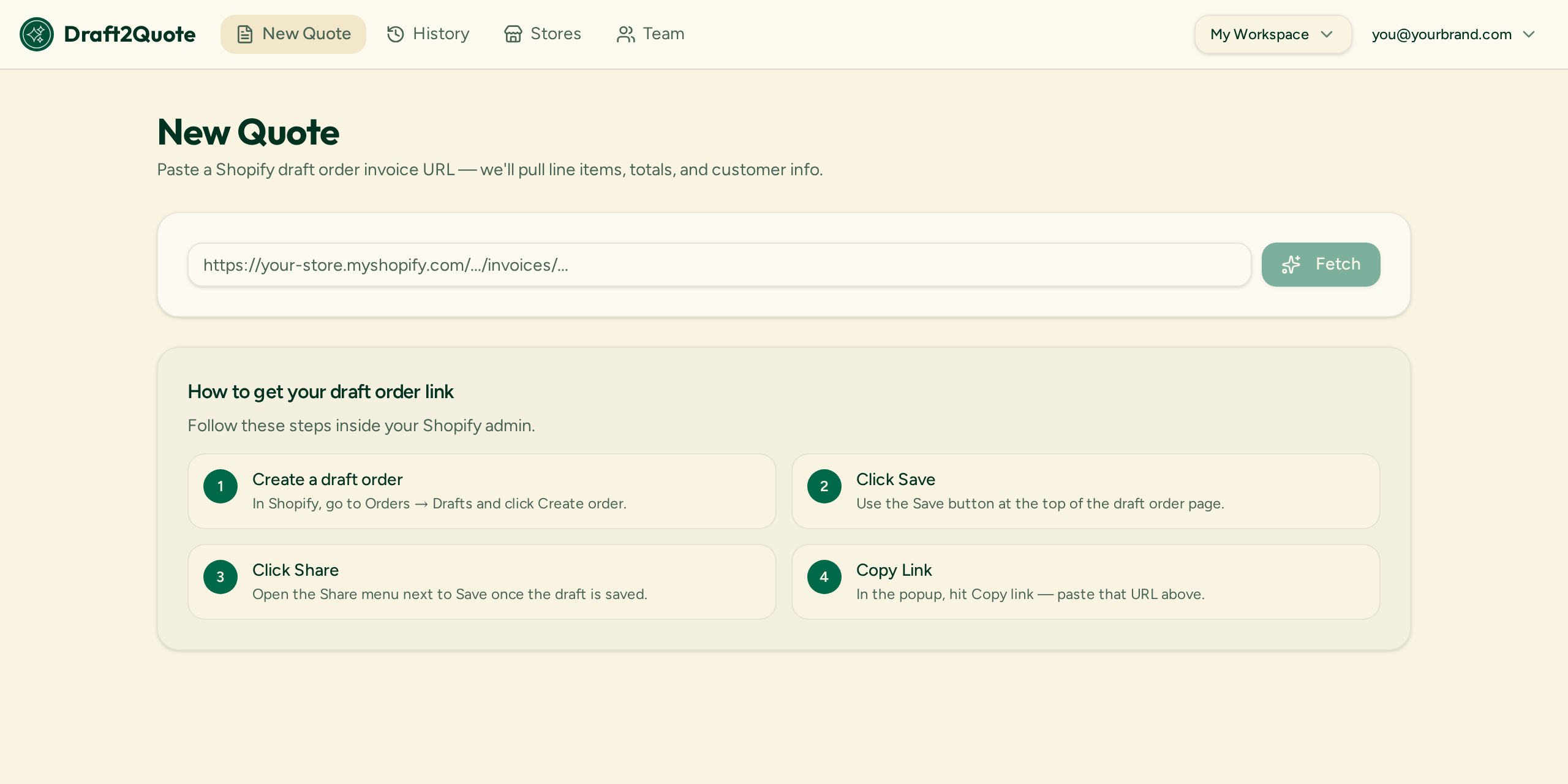
Open Orders → Drafts → Create order
From your Shopify admin, go to Orders, choose Drafts, and press Create order. This opens an editor that looks like a normal order but is not live yet.
Add products, quantities and pricing
Search your catalog or add a custom item. You can override the price per line, apply a percentage or fixed discount, and set shipping manually — useful for negotiated B2B pricing.
Add the customer and any notes
Attach an existing customer or create a new one. Their email drives where Shopify sends the invoice, and tax is calculated from their address.
Save, then Share to copy the link
Press Save, then Share and Copy link. Shopify generates a public invoice page showing the whole order with a live checkout button.
A link is not a quote document
Draft orders are excellent at capturing the order. They are less good as the thing you actually send to a buyer who has a procurement process.
- The invoice is a web page, not a downloadable document you can attach to an email or a purchase order.
- Branding is limited — no custom logo placement, quote validity date, or your own terms and conditions.
- Purchasing departments often need a PDF on file before they can raise a PO or get sign-off.
- There is no quote number, and nothing tying a set of quotes together across multiple stores.
Turning a draft order into a branded PDF quote
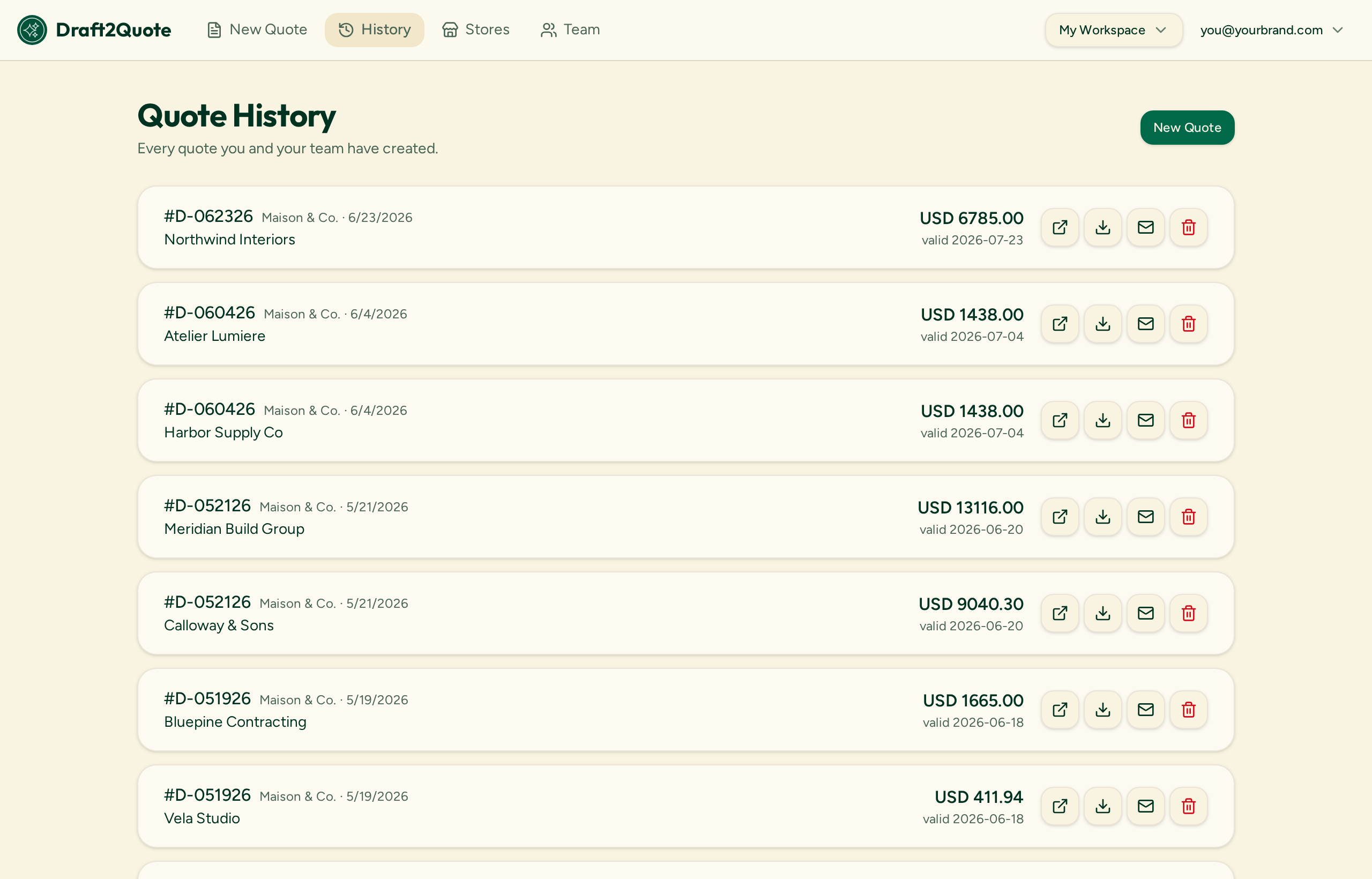
This is the gap Draft2Quote fills. You paste the same Share link you already copied from Shopify, and it reads the line items, unit prices, discounts, shipping, tax and customer details straight from that page — then renders them as a PDF carrying your logo, colors, address and terms.
- No Shopify app install and no API keys
- Quote number and validity date on every document
- The live checkout link and a scannable QR code stay on the PDF
- Separate branding per store if you run more than one
- Free while in beta — unlimited stores, unlimited quotes
Shopify draft order FAQ
What is a draft order in Shopify?
A draft order is an order you build yourself in the Shopify admin instead of the customer building it at checkout. It holds products, quantities, custom pricing, discounts, shipping and taxes, but it does not reduce inventory or count as a sale until it is paid or marked as paid.
When should I use a draft order instead of a normal order?
Use draft orders for wholesale and B2B pricing, phone and email orders, custom or made-to-order products, trade show orders, invoicing an existing customer, and any situation where you need to quote a price before the customer commits.
Does a draft order reduce my inventory?
Not by itself. Shopify can reserve stock on a draft order for a set period, but inventory is only committed when the draft order is paid or converted into a real order.
How do I send a draft order to a customer?
You can either email the invoice directly from Shopify, or press Share and copy the public invoice link and send it yourself. The link opens a page showing the order with a checkout button, so the customer can pay whenever they are ready.
Can a customer pay from a draft order link?
Yes. The invoice link Shopify generates includes a live checkout button. When the customer pays, the draft order converts into a regular paid order in your admin.
Can I edit a draft order after sending it?
Yes, as long as it has not been paid. Reopen the draft, change the line items or pricing, and save. The existing invoice link updates to reflect the new version.
Do draft orders look professional enough to send as a quote?
The Shopify invoice page is functional but generic — it is a web page, not a document, and it carries limited branding. Many merchants send a branded PDF quote alongside the link, which is exactly what Draft2Quote generates from that same URL.
Send your next draft order as a quote worth signing
Free during beta — unlimited stores, unlimited quotes.